
01
From slides to questions.
Upload your PowerPoint. AI turns its content into questions for your session.
Turn your PowerPoint into a quiz with AI. Invite the room to join on their phones and watch their answers come to life, right inside your slides.
Interactive demo · sample content
Upload your PowerPoint. AI turns its content into questions for your session.
Share a code or link. Everyone joins in their browser, with nothing to install.
See results live. Find out what clicked and what deserves another explanation.
Give the material you already have a new purpose. Upload a .ppt or .pptx file and let AI create a quiz from the content of your presentation.
More time to lead. Less work to get started.
Explore AI quizzesAProduce organic matter
BDecompose waste
CConsume other organisms
sample content
Example of results in a slide
Audience responses appear live inside your slides with the InteractClass Add-in for PowerPoint. Your content and the voice of the room, in the same presentation.
Find out what the room thinks. Make space for ideas. Turn a recap into a challenge.
One question, one choice. Get a quick read on your audience.
Try it: your answer updates this demo.Interactive demo · sample content
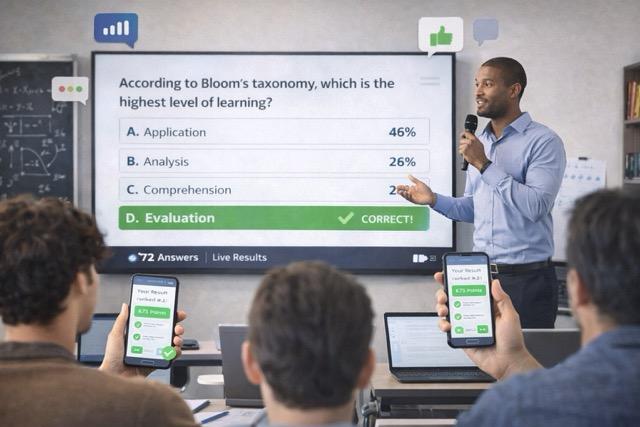
Discover what your students need while there's still time to explain it differently.

Turn onboarding and training into an active exchange with your team.

Bring the perspective of the whole room into your presentation.
Try the interaction formats on the free plan. Choose more capacity as your sessions grow.
Free
Start free$0.00/month
Perfect to validate your ideas with small groups.
Pro
Great value$7.90/month
For teachers and teams that need more respondents and sessions.
Premium
Room to grow$9.90/month
For larger sessions, with unlimited respondents and questions.
Upload a .ppt or .pptx file to InteractClass. AI uses the presentation's content to create a quiz automatically.
InteractClass has a PowerPoint Add-in that displays live audience results directly inside your presentation slides.
No. Participants join using a code or link in their phone's browser and answer there. The Add-in is used by the person presenting in PowerPoint.
It's also for people leading corporate training, workshops, meetings, talks, and events. The common ground is wanting an audience that takes part.
Yes. The free plan lets you try the interaction formats with up to 10 respondents and 5 questions. Check the plans or contact the team for access details for AI generation and the Add-in.
Bring your content. Invite everyone in. Watch the interaction happen.